
If you’ve recently switched jobs, you might be wondering how to get your W-2 form from a previous employer. Your W-2 form is essential for filing taxes — it reports your annual wages and the amount of taxes withheld from your paycheck.
Even if you no longer work for that company, your former employer is legally required to send your W-2 each year. In this guide, PHCWorkHub explains how to request your W-2, what to do if it’s missing, and when to contact the IRS for help.
Understanding the W-2 Form
Before diving into how to request one, let’s review what the W-2 form is and why it’s important.
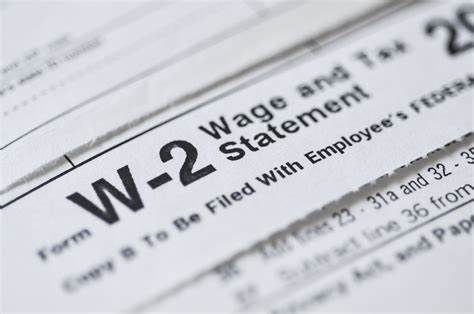
A W-2 form — officially titled Wage and Tax Statement — is issued by employers to both employees and the Internal Revenue Service (IRS). It summarizes your annual income, tax withholdings, and other deductions such as Social Security and Medicare contributions.
You’ll need your W-2 to:
- File your federal and state tax returns
- Verify your income with lenders or financial institutions
- Track your total tax payments for the year
Employers are required to provide W-2 forms by January 31 each year, either electronically or by mail.

How to Request a W-2 From a Previous Employer
If you haven’t received your W-2 form by mid-February, don’t panic. Here’s how you can request it properly:
1. Contact the HR or Payroll Department
Reach out to your former employer’s Human Resources (HR) or Payroll Department. Provide your:
- Full legal name
- Current mailing address or email
- Social Security Number (SSN)
- Employment dates
Ask when and how the W-2 was sent. In some cases, the form might have been mailed to your old address or sent electronically to a company portal.
2. Check Your Employee Portal or Payroll Platform
Many employers use digital payroll systems like ADP, Paychex, or QuickBooks. Log in to your employee account — even if you no longer work there — and check if your W-2 form PDF is available for download.
If you used PHCWorkHub’s online payroll tools, you can easily access and print your W-2 form under the “Documents” or “Tax Forms” section.
3. Update Your Contact Information
If your old employer tried sending the form to an outdated address, provide your current mailing information right away. This helps ensure a reissued copy gets to you without delays.
What If You Can’t Reach Your Former Employer?
Sometimes companies shut down, change management, or stop responding. If you can’t reach your previous employer after multiple attempts:
- Contact the Payroll Provider: If you know the third-party payroll company your old job used, reach out directly.
- Check with the IRS: After February 14, you can contact the IRS at 1-800-829-1040. Have the following ready:
- Employer’s name, address, and phone number
- Employment dates
- Your estimated earnings and taxes withheld
The IRS will reach out to your employer on your behalf and help you obtain the missing W-2 form.
How to File Taxes Without Your W-2
If the W-2 form never arrives, you can still file your taxes on time using Form 4852 (Substitute for Form W-2).
You’ll need to estimate your:
- Total wages earned
- Federal and state income taxes withheld
Use your final pay stub from that employer to fill out the information accurately. If the original W-2 later arrives, you may need to file an amended return (Form 1040-X) to correct any discrepancies.
When Employers Must Send W-2 Forms
Employers are legally required to send out W-2 forms by January 31 following the tax year. For instance, your 2024 W-2 form must be issued by January 31, 2025.
If your employer mails it, allow a few days for delivery. Electronic copies are often faster, but you must have opted in to receive them that way.
What If Your Employer Refuses to Send a W-2?
If your previous employer refuses to send your W-2, or you suspect they didn’t file it with the IRS, take action:
- Document your communication attempts (emails, letters, or calls).
- Report the issue to the IRS by filing a complaint or calling their helpline.
- File Form 4852 using your final pay stub to stay compliant with tax deadlines.
Never skip filing your taxes just because you don’t have your W-2 — penalties can apply for missing the April 15 deadline.
Case Study: Jane’s Missing W-2
Jane switched jobs in December 2024 and moved to another state. When February arrived, she still hadn’t received her W-2 form from her old employer.
Here’s what she did:
- She contacted her former HR department — no response.
- She logged into her payroll portal but found it deactivated.
- Finally, she called the IRS after February 14. The IRS reached out to the employer and got her W-2 reissued within three weeks.
Jane learned a valuable lesson: always update your address before leaving a job and check digital payroll systems early.
Final Thoughts: Stay Organized With PHCWorkHub
Requesting a W-2 form from a previous employer doesn’t have to be stressful. Stay proactive — check your email, employee portal, and mailing address well before tax season starts.
For easier financial record-keeping, try PHCWorkHub’s online document templates and payroll tools. You can generate pay stubs, manage tax forms, and stay organized year-round.